01 // INTELLIGENCE
Agent Core
Ask the assistant to search saved context, inspect supported documents and propose actions. Write actions require your approval.
AVAILABLE · LOCAL TOOLSNot another chat window. A personal intelligence command center for Windows that listens, remembers and helps you move from ideas to action — with a basic setup designed to take about 5–10 minutes. No coding. Just download, install and connect your accounts.






One cinematic interface for natural conversations, personal memory and controlled AI tools.
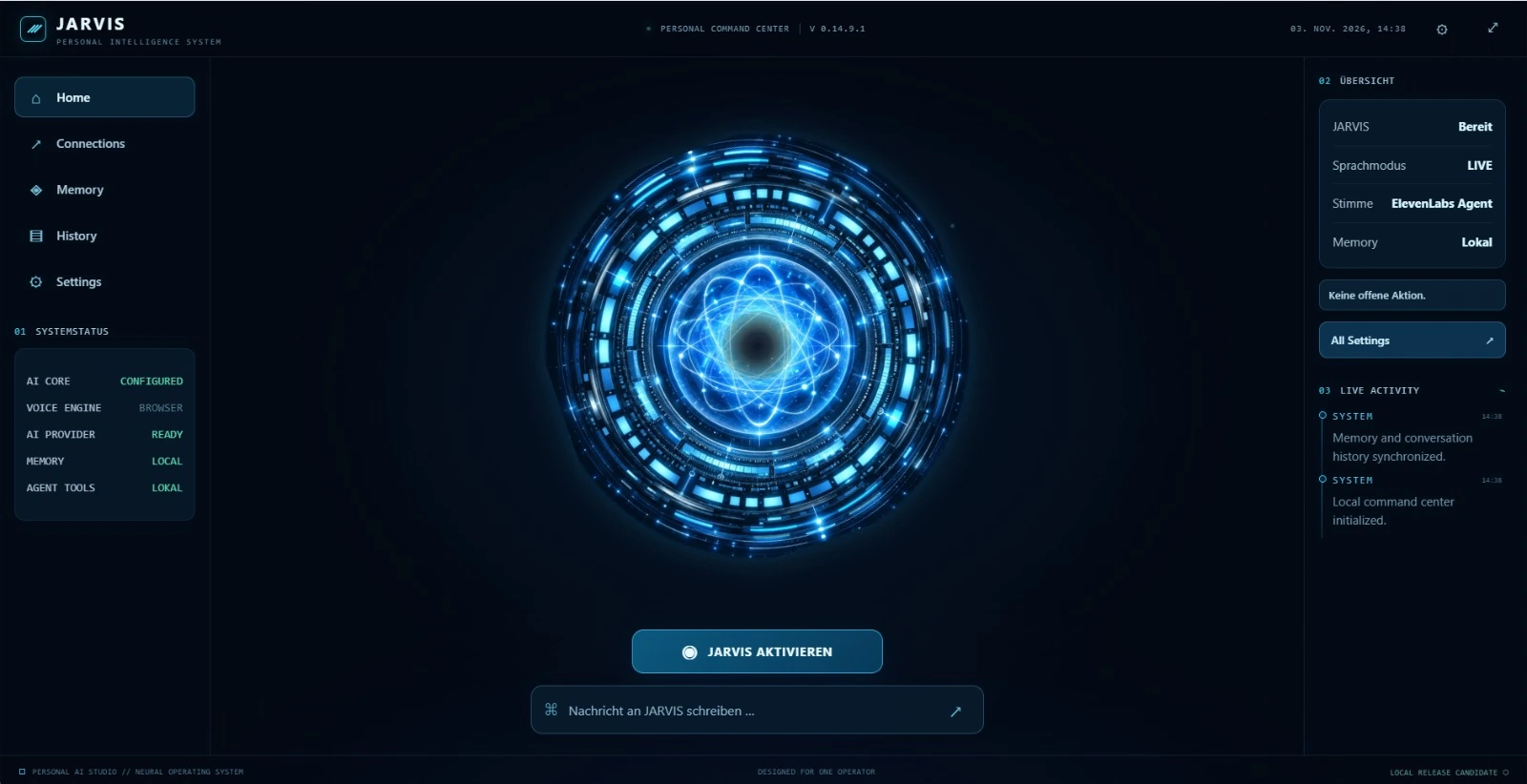
Ask naturally. Keep your context. Stay in control of what happens next.
Powerful capabilities for Windows, with room to grow as new connections become available.
Ask the assistant to search saved context, inspect supported documents and propose actions. Write actions require your approval.
AVAILABLE · LOCAL TOOLSSpeak, interrupt and interact naturally with a responsive neural interface.
AVAILABLERecall saved context and optionally enable automatic local storage of recognized LIVE conversation text. You can turn it off.
AVAILABLEExplore selected local TXT, Markdown, CSV, JSON and log files through AI.
AVAILABLELocal app storage and explicit confirmation for email and calendar changes. AI and voice processing use your chosen external providers.
AVAILABLEYour own personal assistant environment, accessible on your computer.
AVAILABLEBring your favorite services into one personal assistant. Browser tools are available now; Gmail and Google Calendar connections will be available for all customers once provider authorization is approved.
Manage your schedule with user-approved actions once the Google connection is released for all customers.
Read messages and prepare or send mail with your approval once the Google connection is available for all customers.
Open public websites and read content through the spoken assistant, with local permission.
JARVIS calls you when an assigned task is complete, with your permission. You can also call JARVIS.
Get an opt-in message from JARVIS as soon as a task finishes — where supported and approved by Meta.
Browser tools and personal memory are available today. Google account connections are planned after provider authorization. Phone and WhatsApp notifications are future features, not included in the current license.
Assign a task. Keep moving. The vision: once the job is done, JARVIS reaches out to you by phone or WhatsApp with the result — rather than waiting for you to ask.
Download the Windows app, activate your license and connect your own accounts. The onboarding is designed to be simple and guided step by step.
Install Personal AI Studio on Windows like a normal desktop app. No programming, no terminal and no technical setup marathon.
Enter your purchase code and connect your own OpenAI account and optional ElevenLabs voice provider. Other integrations can be added later.
Talk or type naturally, use memory, browse the web and approve email or calendar actions only when you want them executed.
After purchase, customers receive a step-by-step onboarding email together with their personal purchase code. A customer-only PDF and PowerPoint quick-start guide are provided after checkout — not publicly on the website.
Start with a lifetime right to use your purchased version of Personal AI Studio. No recurring software subscription — and a customer-friendly onboarding flow designed for a fast, uncomplicated start.
Pay once for the software license.
By purchasing, you agree to the Terms and acknowledge our Privacy Notice and Refund Policy.
Secure checkout is hosted by Stripe when purchasing is available. OpenAI and ElevenLabs usage is charged separately by those providers. Gmail and Google Calendar integration requires separate Google authorization and is not included as a generally available service yet. *Setup time varies if you still need to create provider accounts.
No. Personal AI Studio is offered for a one-time software license fee of USD 99. Separate service providers may bill for API calls or optional usage.
Yes. Customers connect their own compatible OpenAI API key for AI responses. External API usage is not included in the software price.
The browser agent is available. Gmail and Google Calendar integration has been implemented, but it is not currently available for general customer connection. Google must first approve public authorization. We will make this clear when it becomes available.
The basic setup is designed to take about 5–10 minutes once you have your accounts and API keys. Creating third-party accounts, verifying payments and configuring extra integrations can take longer. You do not need to code. After purchase, customers receive a step-by-step onboarding email plus a customer-only PDF and PowerPoint guide covering installation, activation, OpenAI setup, optional ElevenLabs setup and account connections.
This is a planned proactive feature, not available in the current version. If released, calls and WhatsApp updates would be optional, with your opt-in and applicable provider permissions, regional availability and usage costs. WhatsApp business-initiated notifications require adherence to Meta rules and approved message templates where required.
The current personal license is bound to one installation. Device-change requests are handled through the support contact; automatic transfer is not yet available.
After confirmed payment, you receive your personal license activation code by email. Your delivery email also includes installation instructions and information about the customer-only setup guides. Enter the code during Windows setup.
Turn your phone sideways for the most natural landscape view.
Online orders are temporarily unavailable. Please check back or contact our support team.